 Viktar Patotski ·
· AI
· 10 min read
Viktar Patotski ·
· AI
· 10 min read
Build an MCP Server in Java with Spring AI: Give Your Product an AI Interface
On a well-built Spring Boot app, exposing your product to AI agents is almost trivial: annotate a service method, add one starter. The wiring is the easy part. Choosing what to expose and securing it is the real work. Here is the honest version, on Spring AI 2.0.
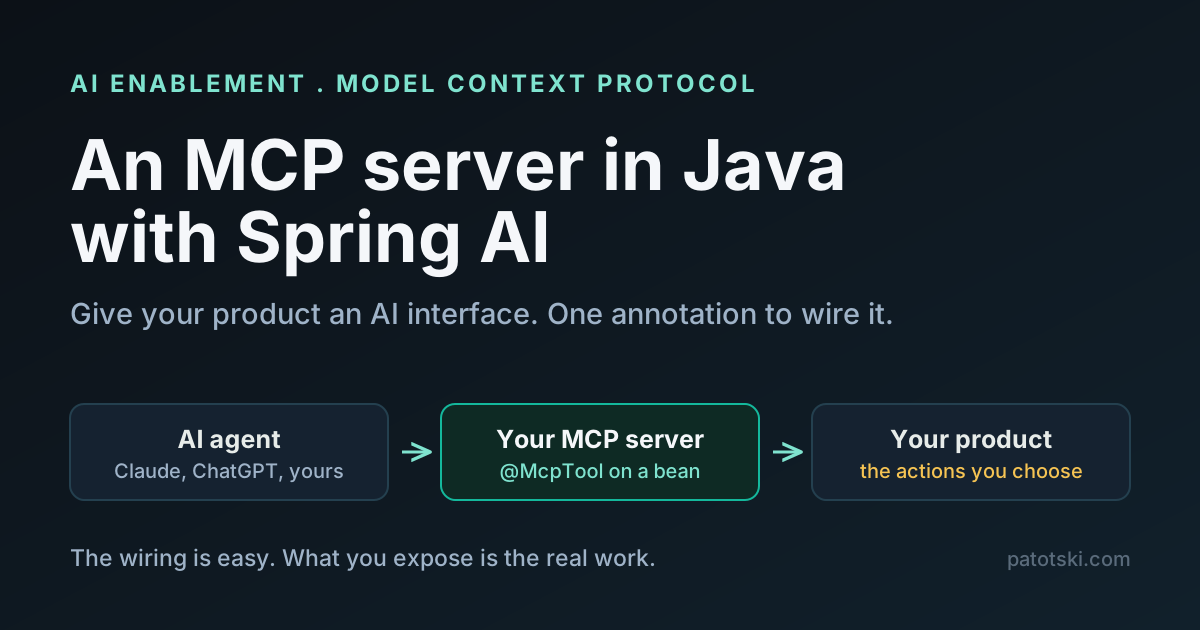
Your product does something valuable, and increasingly your customers want to reach it from inside an AI assistant. “Ask Claude to pull my overdue invoices.” “Have the agent schedule the Tuesday route.” The Model Context Protocol (MCP) is the standard that makes that possible, and here is the part that gets undersold: on a Spring Boot app that is already well built, wiring it up is almost trivial. One annotation, one starter, and a service method you already have becomes a tool any AI client can call.
That is the good news and the trap in one sentence. The plumbing is easy. Deciding which methods to expose, and making sure an AI client cannot use them to hurt you, is the actual work. This post covers both, with code that compiles and runs against Spring AI 2.0.
What MCP actually is
MCP is an open protocol that lets an AI application talk to your tools and data through one standard wire format instead of a bespoke integration per product. It uses JSON-RPC over a defined transport, with three roles: a host (the AI app, like Claude Desktop or an agent), a client (the connector inside the host), and a server (the thing you build, which exposes capabilities).
The useful analogy is the Language Server Protocol. Before LSP, every editor needed a custom plugin for every language. After it, one language server works in every editor that speaks the protocol. MCP does the same for AI: build one MCP server and any MCP-speaking assistant can use your product, without you building a chatbot.
A server exposes three kinds of thing:
- Tools: functions the model can call (search contracts, schedule a job, issue a refund). This is the part most products care about.
- Resources: data the model can read (a document, a record, a report).
- Prompts: reusable templated workflows.
For a SaaS, the headline is tools. Your existing business logic becomes a set of actions an AI agent can invoke on the user’s behalf.
The state of MCP in 2026 (so you pin the right things)
MCP moves fast, so two facts matter before you write code:
- The current protocol version is 2026-07-28 (versions are dated
YYYY-MM-DDstrings). It makes MCP stateless: theinitializehandshake and session IDs are gone, every request carries its protocol version, and OAuth Dynamic Client Registration is deprecated in favor of Client ID Metadata Documents. The previous version,2025-11-25, is the one Spring AI 2.0 shipped with and the one the example below speaks. MCP has a formal feature-lifecycle and deprecation policy and keeps evolving, so pin a spec version and expect to migrate. - There are two transports: stdio (the host launches your server as a subprocess) and Streamable HTTP (a single HTTP endpoint). The older HTTP+SSE transport is deprecated, replaced by Streamable HTTP. A lot of tutorials still say “SSE” as if it were current. It is not. Use Streamable HTTP for a remote server, stdio for a local one.
MCP came out of Anthropic in late 2024 and now has broad adoption across the AI tooling ecosystem, with a formal governance and deprecation policy. It is stabilizing, but it is not frozen.
Why Java and Spring are a first-class choice here
If your stack is Java, you are not a second-class citizen in this ecosystem. The
Spring team maintains the official MCP Java SDK, and Spring AI 2.0.0 (GA in
June 2026) ships that SDK compliant with the 2025-11-25 spec. In 2.0 the
annotations (@McpTool, @McpResource, @McpPrompt) moved into Spring AI core, so
you no longer wire tool callbacks by hand the way 1.x tutorials show. Check which
spec version your SDK release supports before you rely on the 2026-07-28 changes.
The whole “we would have to rewrite this in Python to do AI” instinct is exactly backwards. The hard parts of a production integration (auth, retries, rate limits, observability, connection management) are things your Java team already solved years ago. An MCP server is a thin adapter on top of that, not a new stack.
The easy part: a working server
Here is a complete MCP server. One dependency, one annotated method. The following compiles and boots on Spring Boot 4.0.7 with Spring AI 2.0.0.
The build (Gradle, with the Spring AI BOM):
dependencyManagement {
    imports { mavenBom 'org.springframework.ai:spring-ai-bom:2.0.0' }
}
dependencies {
    implementation 'org.springframework.ai:spring-ai-starter-mcp-server-webmvc'
}
The application is an ordinary Spring Boot app:
@SpringBootApplication
public class McpServerApplication {
    public static void main(String[] args) {
        SpringApplication.run(McpServerApplication.class, args);
    }
}
And the tool is a normal Spring bean with one annotation:
@Service
public class WeatherService {

    @McpTool(description = "Get current temperature for a location")
    public String getTemperature(
            @McpToolParam(description = "City name", required = true) String city) {
        // your real logic here: call a service, read the database, whatever
        return String.format("Current temperature in %s: 22C", city);
    }
}
Set the transport in application.properties:
spring.ai.mcp.server.protocol=STREAMABLEThe imports are org.springframework.ai.mcp.annotation.McpTool and
org.springframework.ai.mcp.annotation.McpToolParam. You do not add a separate
annotations dependency; it comes transitively with the starter.
That is the entire server. On startup, Spring AI scans for @McpTool methods and
registers them. The log line to look for:
McpServerAutoConfiguration : Registered tools: 1
McpServerAutoConfiguration : Enable tools capabilities, notification: true
The server exposes a single endpoint at POST /mcp. Under spec 2025-11-25, an
MCP client opens the conversation with an initialize call and gets back the protocol
version and the server’s capabilities (the 2026-07-28 revision drops this handshake
and sends the version with every request):
{
  "jsonrpc": "2.0",
  "result": {
    "protocolVersion": "2025-11-25",
    "capabilities": { "tools": { "listChanged": true }, "prompts": {}, "resources": {} },
    "serverInfo": { "name": "mcp-server", "version": "1.0.0" }
  }
}
From there the client calls tools/list to discover getTemperature and its schema,
then tools/call to run it. The model never sees your code, only the tool’s name,
description, and parameters. That is why the description matters so much, which is the
first non-trivial decision.
If you want a Spring app on the other side (rather than Claude Desktop), the client
starter is spring-ai-starter-mcp-client-webflux, and discovered tools flow straight
into a ChatClient call as tool callbacks. But the server above already works with
any MCP host today.
The part that is not simple: what to expose
The wiring took one annotation. The judgment takes real thought, and this is where a product either gets a useful AI interface or a dangerous one.
A tool is an API you are handing to a non-deterministic caller. The model decides when and how to call it, based only on the name, the description, and the parameter docs. So:
- Expose intent, not your schema.
findOverdueInvoices(customerId)is a good tool.executeSql(query)is a loaded gun. Give the model verbs that map to business actions you would let a junior employee perform, not raw data access. - Descriptions are the contract. The model routes on the description text. Vague descriptions produce wrong calls. Write them like you are briefing a new hire who cannot see the code.
- Keep read and write separate, and be deliberate about writes. A tool that only reads is low-risk. A tool that schedules, charges, or deletes needs the human in the loop (the spec expects the host to get user consent before invoking a tool, but do not rely on that alone).
- Scope by tenant, always. Every tool runs on behalf of a specific user in a specific tenant. The tool must enforce that, exactly like your existing API does. MCP does not change your authorization model; it just adds a new caller.
This is the same discipline as designing a good public API, with one twist: the caller is a language model that will occasionally do something creative. Design for that.
The part everyone skips: securing it
Exposing an MCP server means putting a new, powerful surface on the internet, and the
early ecosystem has been rough. The US National Vulnerability Database lists OS
command injection in mcp-remote
(CVE-2025-6514, CVSS 9.6), remote
code execution in the MCP Inspector through a missing authentication check
(CVE-2025-49596, CVSS 9.4), and a
directory escape in Anthropic’s own reference filesystem server
(CVE-2025-53109). Treat an MCP server like any other production endpoint, plus a few
MCP-specific concerns.
What the spec itself requires or recommends for Streamable HTTP servers, worth doing from day one:
- Validate the
Originheader on every request. This is a mandated defense against DNS-rebinding attacks. The spec says servers MUST do it. - Bind to
127.0.0.1when the server is local, not0.0.0.0. Do not expose a local dev server to the network by accident. - Require authentication. For remote servers the direction is OAuth 2.1 with PKCE. This part of the ecosystem is newer than the tool model and still hardening, so pin your approach and watch for changes.
And the MCP-specific risks that do not exist in a normal REST API:
- Tool poisoning. Tool names and descriptions are instructions the model reads. A malicious or compromised tool description can steer the model. The spec is explicit that tool metadata should be treated as untrusted unless it comes from a server you trust. If you aggregate third-party MCP servers, you inherit their risk.
- Prompt injection through returned data. If a tool returns content that came from an untrusted source, that content can carry instructions the model follows. Sanitize and frame tool output.
- The confused deputy. Your server holds real credentials and acts on the user’s behalf. If an attacker can influence which tool runs with which arguments, your server becomes their proxy. Least privilege on every tool, and never pass a token straight through.
This is squarely engineering-behind-compliance territory. If you are exposing product capabilities to AI agents, the security review is not optional, and it is the part that separates a demo from something you can ship to customers.
A concrete example: a field-service product
Say you run scheduling software for HVAC and plumbing contractors. The AI interface your customers actually want is not a chatbot bolted onto your UI. It is the ability to say, inside whatever assistant they already use, “what jobs are open Tuesday, and text the customers I am running late.” On your side that is three tools:
getOpenJobs(date), read-only, scoped to the contractor’s tenant.assignTechnician(jobId, techId), a write, so it goes through your normal validation and ideally a confirmation.notifyCustomer(jobId, message), a write that sends something external, so it is rate-limited and logged.
Each is a method you very likely already have on a service class. The MCP server is
@McpTool on three methods plus the security work above. The domain logic, the
tenant scoping, the audit log: all reused. That is why a well-built app makes this
easy. The AI interface is a thin, standard skin over business logic that was already
there.
What is still moving
Be honest with yourself about the maturity. The spec is stabilizing but still evolving under a formal deprecation policy. The auth story is real but newer than the rest. The tooling ecosystem is young enough that security defaults are often wrong out of the box. None of that is a reason to wait if the use case is real, but it is a reason to pin versions, own your security, and expect to revisit the integration in six months.
The takeaway
MCP is the standard way to let AI agents use your product, and on a clean Spring Boot app the mechanical part is genuinely a day of work: annotate the service methods you want to expose, add one starter, choose Streamable HTTP. The value and the risk both live in the two decisions the annotation does not make for you: which capabilities to hand to a non-deterministic caller, and how to secure a new surface that runs real actions on behalf of your users. Get those right and your product becomes a first-class citizen inside every AI assistant your customers use.
This is the kind of work I do under AI Enablement and Security and Compliance: taking a product from “we should have an AI interface” to something you can safely put in front of customers. Related on this site: Spring AI vs LangChain4j, RAG explained, and database encryption at rest.