 Viktar Patotski ·
· Cloud & Cost
· 7 min read
Viktar Patotski ·
· Cloud & Cost
· 7 min read
Karpenter: Cutting EKS Compute Cost Without Breaking Things
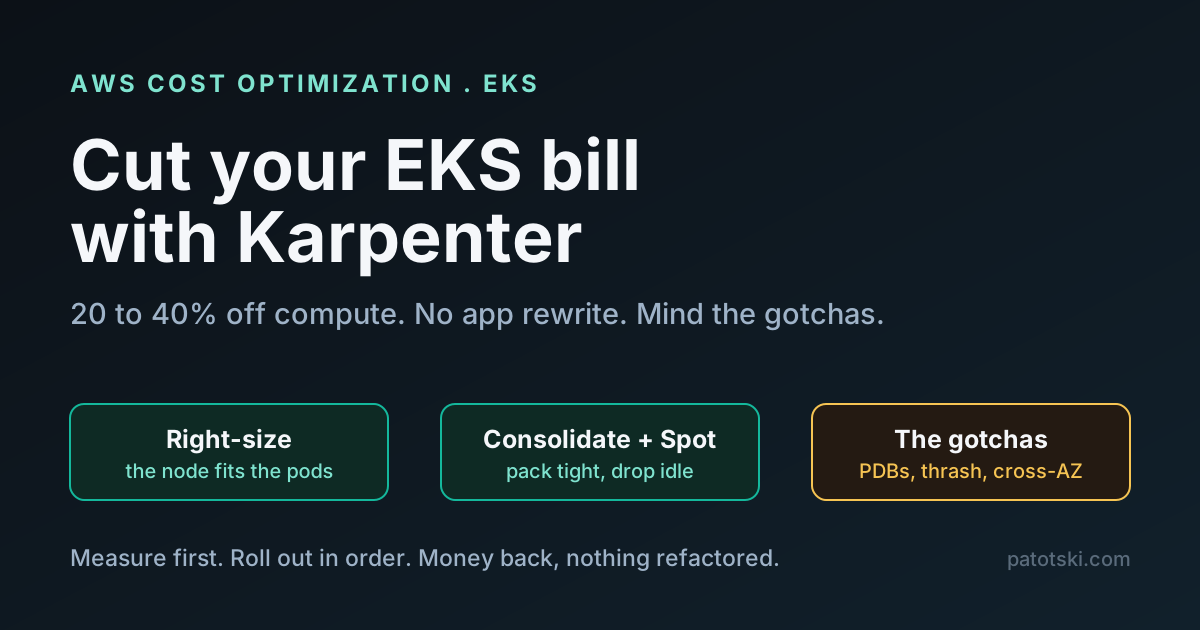
Karpenter can take 20 to 40 percent off your EKS compute bill, more with Spot, without refactoring a line of app code. Why it beats Cluster Autoscaler, the audit sequence to roll it out safely, and the gotchas that quietly cost people money.
Most EKS clusters run half empty. Nodes sized for a peak that rarely comes, pods requesting far more than they use, and a fixed set of node groups that cannot adapt to what is actually scheduled. The bill reflects the waste. Karpenter is the tool that closes most of that gap, and it does it without you rewriting anything: it provisions the right nodes on demand and removes them when they are idle.
This is the practical version: what Karpenter actually does to cut cost, a rollout sequence you can run without taking the cluster down, and the gotchas that turn a cost win into a 2am page. It is a decision guide and a playbook, not a controlled benchmark, so where I quote savings numbers they come from published case studies, attributed and caveated.
Karpenter vs Cluster Autoscaler
Karpenter is a node autoprovisioner for Kubernetes. It watches for pods that cannot be scheduled, looks at what they actually need (CPU, memory, architecture, zone, affinity), and calls the EC2 API directly to launch the cheapest instance that fits. When nodes fall idle, it removes them. It reached v1.0 in 2024, is on v1.14 as of mid-2026, and is a CNCF project maintained with AWS.
The contrast with the older Cluster Autoscaler is the whole point. Cluster Autoscaler scales predefined node groups of fixed instance types, so it is blind to bin-packing and slower to react. Karpenter has no node groups. It picks the instance per batch of pending pods and provisions quickly, straight from the EC2 API. That is what unlocks the savings: the node fits the work, instead of the work being crammed into whatever node group you guessed at.
How it actually cuts the bill
Five levers, each a real knob.
Right-sizing. Instead of a fixed m5.2xlarge group, Karpenter picks from the
instance types you allow and lands on the one that fits. Give it room to choose:
requirements:
  - key: kubernetes.io/arch
    operator: In
    values: [amd64]
  - key: karpenter.sh/capacity-type
    operator: In
    values: [on-demand]
Consolidation. This is where idle spend dies. Karpenter continuously repacks pods onto fewer nodes and deletes the emptied ones. The policy decides how aggressive it is:
disruption:
  consolidationPolicy: WhenEmptyOrUnderutilized # or WhenEmpty, or Balanced
  consolidateAfter: 60s
  budgets:
    - nodes: '10%' # never disrupt more than 10% of nodes at once
WhenEmpty only removes fully idle nodes (safe, leaves money on the table).
Balanced removes a node when the savings clearly beat the disruption.
WhenEmptyOrUnderutilized is the aggressive setting that actually moves the bill,
and the one that needs the guard rails below.
Spot. Spot instances are far cheaper than on-demand, and Karpenter handles the
two-minute interruption warning through an SQS queue (the --interruption-queue
setting), draining the node before AWS reclaims it. The savings are workload-shaped:
Tinybird, for example, reported cutting its overall EKS bill about 20 percent and up
to 90 percent on bursty CI/CD workloads. The top of that range is bursty-workload
territory, not a promise for steady load.
Diversification. The more instance types you let Karpenter consider, the tighter it can pack and the less Spot interruption hurts. Over-constraining the instance list is a common self-inflicted wound.
Graviton. ARM instances run noticeably cheaper than x86 for most Java and web
workloads. The current generation is Graviton5 (the m9g family, around 25 percent
faster than Graviton4), and moving a workload to ARM is often just a base-image
change. Point a NodePool at arm64 and let workloads opt in.
Combined, the published range for real clusters is roughly 20 to 40 percent off compute, more when Spot fits the workload. The determining factors are how underutilized you are today, how spiky the load is, and whether your pod resource requests are honest (more on that below).
The rollout playbook
Do not flip everything on at once. This sequence gets the savings without the pages.
1. Measure first. kubectl top nodes and kubectl top pods -A, compared against
the resource requests, then current EC2 spend in Cost Explorer filtered to the
cluster. If pods request four CPUs and use half of one, Karpenter will faithfully
provision for four. That gap is a pod-right-sizing problem, and consolidation alone
will not fix it. Know which problem you have before you start.
2. One NodePool, safe policy. Start with a single general-purpose NodePool,
on-demand only, WhenEmpty consolidation, and a limits block so a runaway cannot
provision the whole region. Confirm nodes come and go as expected.
3. Audit PodDisruptionBudgets before going aggressive. This is the quiet
money-loser. A PDB with maxUnavailable: 0 blocks consolidation silently: Karpenter
does not error, it just stops removing nodes, and your bill stays high while everyone
assumes it is working. Find them:
kubectl get pdb -A -o json | jq '.items[] | select(.spec.maxUnavailable == 0)'Replace all-or-nothing budgets with an explicit floor (minAvailable: 2) so
consolidation can proceed while keeping the workload up. Only then switch to
WhenEmptyOrUnderutilized.
4. Add Spot with interruption handling. Allow spot and on-demand together,
wire the SQS interruption queue, and set disruption budgets. Do not run the old AWS
Node Termination Handler alongside it, or you get double draining.
5. Trial Graviton. A second NodePool pinned to arm64, with workloads opting in
by node affinity. Cheap win for anything that builds cleanly on ARM.
6. Watch it. Karpenter’s Prometheus metrics are not scraped by default. Add the target, alert on provisioning latency (p99 above ~90s means the EC2 API is struggling), and watch for consolidation churn.
The gotchas that cost people money
The rollout is easy. These are what bite in production, and they are the reason to do it deliberately.
Consolidation thrash. Set consolidateAfter too low and you get a feedback
loop: consolidate, pods reschedule, new nodes launch, those get consolidated too. A
non-zero consolidateAfter (start at 60s, raise if you see churn) plus disruption
budgets stops it.
StatefulSets and cross-AZ EBS. Karpenter consolidates a node in one AZ and tries to reschedule the pod in another, but its EBS volume cannot follow across zones and the pod hangs. Pin stateful workloads to a zone-constrained NodePool, or use topology spread constraints.
The controller eating itself. If Karpenter’s own controller runs on a node Karpenter manages, and that node gets consolidated, Karpenter goes silent and cannot provision its way back. Run the controller on Fargate or a small managed node group, never on a node it controls.
Hard anti-affinity kills bin-packing. Workloads with strict podAntiAffinity
(one pod per node) give consolidation nothing to pack. Prefer topology spread
constraints with whenUnsatisfiable: ScheduleAnyway where you can, so scheduling
stays flexible.
Too small to bother. Below a handful of nodes, Karpenter’s overhead outweighs the savings. A static group is cheaper on a tiny cluster.
When Karpenter wins, and when it does not
It wins when you have real bin-packing to do: dozens of nodes, spiky or seasonal load, multi-tenant workloads with varied sizes, and utilization sitting well under half. It wins less on a small, stable cluster that is already tightly packed, or when your pods request far more than they use (fix the requests first).
For a vertical-SaaS product this is usually a clear win, because compute is the first or second line on the AWS bill and the workload is exactly the messy, multi-sized, sometimes-bursty shape Karpenter is built for. Fifty tenants’ services on one cluster is hundreds of differently sized pods, which is precisely what “provision the exact instance for this batch” is good at. See reducing AWS costs for where compute sits among the other levers, and the Graviton price-performance numbers for the ARM side of this.
The takeaway
Karpenter cuts EKS compute cost by making nodes fit the work: right-sized, packed
tight, on Spot and ARM where it fits, and gone when idle. The savings are real,
commonly 20 to 40 percent and more with Spot, but they come from the aggressive
consolidation setting, which is exactly the one that needs PodDisruptionBudgets and a
sane consolidateAfter behind it. Measure first, roll it out in the order above, and
respect the gotchas. Then it is money back with nothing refactored.
If your EKS bill is a real number and you suspect the cluster is half empty, that is the kind of thing I fix under AWS Cost Optimization and Scale Readiness. Related on this site: reduce AWS costs, Graviton price-performance, and multi-tenant architecture.