 Viktar Patotski ·
· AI
· 10 min read
Viktar Patotski ·
· AI
· 10 min read
Useful MCP Servers for Developers (and the Flag Each One Needs)
A filtered list of MCP servers worth connecting to a coding assistant, with the specific flag that keeps each one from flooding your context window or writing to production. Plus the cases where a plain CLI beats an MCP server by 20x.
Your AI assistant is smart and blind. It reasons well, but on its own it cannot see your repo, today’s library docs, your metrics, or last night’s production errors. MCP (Model Context Protocol, the standard way to hand an assistant live access to your systems) fixes that.
The catch nobody puts in the listicles: every server you connect injects its tool definitions into the context window on every request, before you type a word. Grafana’s server documents 101 tools. Chrome DevTools ships 57. Anthropic’s own guidance says standard tool calling is the better fit below 10. So a useful list is not “here are 30 servers.” It is a short list where each entry comes with the flag that keeps it from wrecking your context or writing to something it should not.
Two things I flag for each one. Tier: reference (maintained by the MCP steering group), vendor (maintained by whoever owns the system it talks to), or community (a dependency you audit). Job: what it actually gives the model. Prefer reference and vendor.
The list
| Server | Tier | What it gives you | Configure it like this |
|---|---|---|---|
| Context7 | vendor (Upstash) | Version-correct docs for thousands of libraries. Kills the “assistant writes last year’s API” failure mode | Nothing to tune. Highest value per token on this list |
| Git | reference | Reads and searches your real repo: history, branches, diffs | Point it at the repo path |
| Filesystem | reference | Scoped file read and write | Lock to the project root, never your home directory |
| Fetch | reference | Turns a live URL into clean text. Cheapest cure for stale training data | Nothing to tune |
| Grafana | vendor (official) | Prometheus queries, Loki logs, dashboards, alerts, incidents, Pyroscope profiles | --enabled-tools prometheus,loki,dashboards plus --disable-write. Read-only here is --disable-write, not --read-only. 101 tools documented, a dozen categories already off by default, so scope it anyway |
| Sentry | vendor (official) | Real production issues and stack traces | Read-only by nature, so low risk |
| GitHub | vendor (official) | Issues, pull requests, cross-repo search, workflow files | --read-only and --toolsets to pick from its 22 toolsets, with two more available only on the remote server. Then read the CLI section below |
| Chrome DevTools | vendor (Google) | Debugging a page: performance traces, Lighthouse, network with source-mapped stacks, heap snapshots | --no-usage-statistics, and run it against a testing profile, not the Chrome holding your sessions |
| Playwright | vendor (Microsoft) | Driving a browser, cross-browser | Reach for this when the question involves Firefox or Safari |
| Postgres / Supabase | vendor or third-party | Query live data, inspect schema | A read-only, schema-scoped user. Always. Note the old reference Postgres server has been archived since May 2025 |
| Kubernetes | community | ”Why is this pod restarting”, answered without ten kubectl commands | --read-only plus an RBAC-scoped service account, never your admin context. Still on a v0.0.x line, so pin the version |
| Terraform | vendor (HashiCorp) | Current provider docs, modules, policies from the registry | Mostly a documentation server, which is where models are weakest on IaC |
| AWS | vendor (official) | AWS operations with an audit trail. The managed server went GA in May 2026, in N. Virginia and Frankfurt only | Read-only IAM, specific resource ARNs, no wildcards, short-lived credentials |
| Snyk | vendor (early access) | SAST, dependency scanning, IaC, containers, SBOM from one integration | Ships inside the Snyk CLI as snyk mcp -t stdio and needs the --experimental flag. Snyk’s own docs still label it experimental, so use it, but do not build a merge gate on it yet |
| Burp Suite | vendor (PortSwigger) | Proxy history with regex filtering, HTTP/2 requests, Collaborator payloads | For real appsec work. Professional for Collaborator |
| Memory, Sequential Thinking, Time | reference | Persistence across sessions, structured multi-step reasoning, timezone math | Cheap in tokens, add freely |
Two categories to treat carefully. Semgrep’s standalone MCP server was archived in
October 2025, but it did not die: that functionality moved into the main semgrep binary,
which is what you should point at. And the CVE lookup servers
that unify NVD, CISA KEV, EPSS, and OSV are all community-maintained, which means the
server whose job is telling you what is vulnerable is itself unaudited code receiving your
dependency inventory. That data is free and public. A short script against those APIs gets
the same answers with none of the trust problem.
Start with three
Context7, so the assistant stops writing APIs that no longer exist. Git, so it reasons about your real code. Your observability system, Grafana or Sentry, so production questions start from the actual error instead of a guess.
Add the fourth when a real task demands it. Scope servers per project with a .mcp.json in
the repo that needs them rather than one global config carrying everything you have ever
tried. The assistant then only ever sees tools relevant to the work in front of it, which is
cheaper and measurably more accurate.
What this costs you
Tool definitions are input tokens on every request. One developer measured the 11 tools in his own plugin at 103 to 1,024 tokens each. Anthropic’s own worked example is blunter: five servers (GitHub, Slack, Sentry, Grafana, Splunk) is 58 tools and roughly 55K tokens spent before the conversation starts, and their engineers report having seen 134K tokens of tool definitions before optimization. That is most of a 200,000-token window gone before the assistant reads your question.
Deferred tool loading is no longer something to wait for. Anthropic’s Tool Search Tool is GA
and on by default in Claude Code, which loads only tool names and server instructions at
session start. ENABLE_TOOL_SEARCH takes auto or auto:N, and a server you always want
loaded in full gets "alwaysLoad": true. Marking tools for on-demand discovery instead of
loading every definition upfront reports
over 85% fewer tokens along with better tool selection: on MCP evaluations with large tool
libraries, Opus 4 went from 49% to 74% and Opus 4.5 from 79.5% to 88.1%. Those are late-2025
measurements on models that have since been superseded, so treat the exact figures as dated.
The direction is the point: tool bloat was not only costing money, it was making the model
worse at choosing.
When a CLI beats an MCP server
Claude Code ships with built-in guidance telling it to use the gh command-line tool for
GitHub work. It still supports the GitHub MCP server, so this is a default rather than a ban,
but the flagship MCP client reaching for a CLI first is worth sitting with. The numbers
explain why.
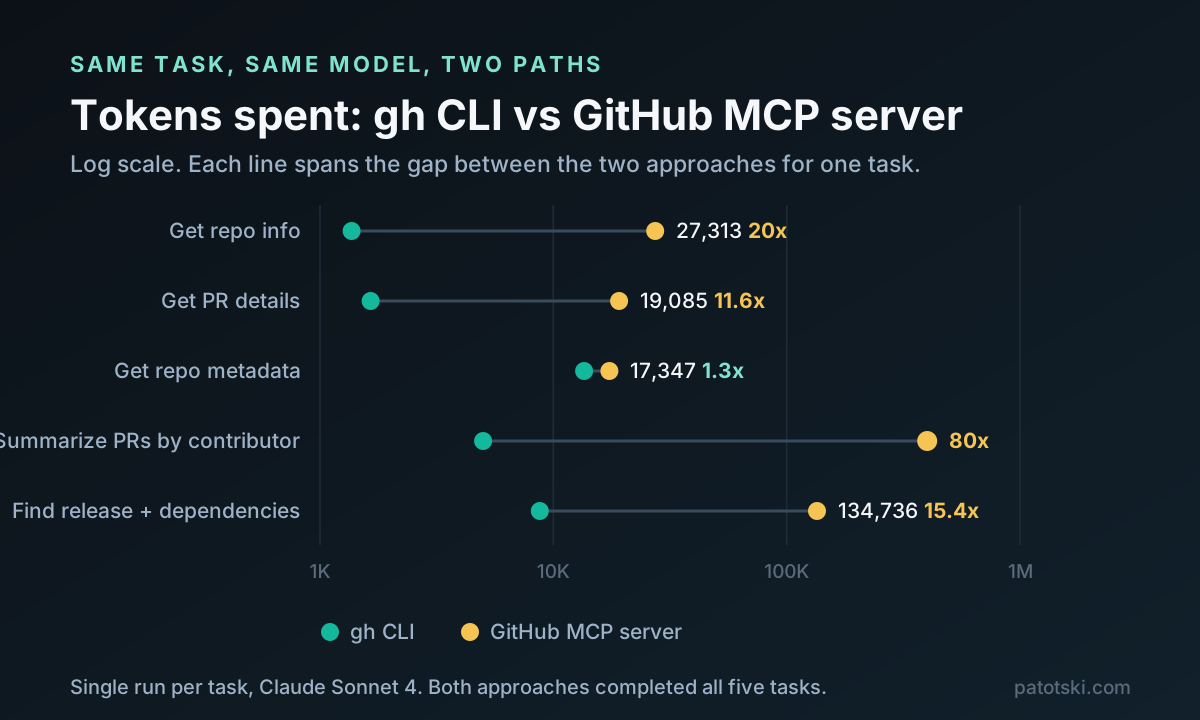
Read those with three caveats. The repo pre-registered 30 runs per task for significance and then published a single run, which is a real gap between the stated method and the numbers. The model was Sonnet 4, now well behind. And both approaches completed every task, with MCP actually faster on three of the five, so this is a cost difference and not a reliability difference.
The pattern generalizes. kubectl, terraform, aws, psql, and gh are already
installed, already authenticated, and already in the model’s training data. If your
assistant has a shell, running one is close to free.
MCP still wins in three cases. Auth you would rather not keep on disk, where a remote OAuth server beats a long-lived token in a dotfile. Teams that need governance, where the AWS managed server’s IAM guardrails and CloudTrail record give you an audit trail that local CLI credentials do not. And clients that cannot execute commands at all.
Before you connect anything
An MCP server is a program you probably did not write, running with your permissions, that exposes resources and tools to a model that can be talked into things.
The attack to understand is the rug pull. In September 2025 a package called postmark-mcp
appeared on npm, cloning Postmark’s official GitHub server (Postmark itself had published
nothing to npm at that point). Versions 1.0.0 through 1.0.15 were clean, mirrored the real
repository, and tripped no scanners. Version 1.0.16 added one line that blind-copied every
outgoing email to an attacker. It ran about a week, drew roughly 1,500 downloads in that
window, and the researchers who caught it estimated around 300 organizations were actually
running it. Auditing 1.0.15 would not have saved you. Pinning would have.
August 2026 showed the next move. A campaign Pillar Security named Deadbugz pushed a
malicious server called productivity-suite through 23 unsolicited GitHub pull requests
inside a 74-minute window. The server behaves normally for the first three tool calls, then
rewrites its own tool listing to send the agent hunting for SSH keys, AWS credentials, shell
history, and kubeconfigs, and to conceal that it is doing so. Scanning the package at install
time sees nothing, because the payload is a runtime counter rather than a string in the
source. Separate research the following day showed the same instruction can be split across a
tool description and a tool result so that no single fragment reads as malicious.
Aqua’s Trivy, a security scanner, was itself hit by a supply chain attack, so “it is a
security tool” is not a trust tier. A May 2026 measurement study of 7,973 live remote MCP
servers found 40.55% of them expose tools with no authentication at all. And the NSA’s AI
Security Center published a 17-page guidance document in May 2026 telling organizations they
must “move beyond the suggestions mentioned in the protocol and adopt deliberate security
controls.” When a signals intelligence agency writes a paper about the thing you just
npx-installed, skim it.
The discipline is ordinary supply-chain hygiene: prefer reference and vendor servers, scope to least privilege using the flags in the table, pin versions and review upgrades, and prefer hosted OAuth for vendors you already trust while keeping community code local and sandboxed.
Even that is not a guarantee. In August 2026 eleven npm packages, including keyv at over
600 million downloads the month before, shipped install-time malware that wrote startup hooks
into local agent config files. The malicious source sat in the tagged repository state, so the
legitimate pipeline built and signed it. Provenance proved the artifact matched the repo, not
that the repo was clean. Note where that payload aimed: the agent’s configuration, not the
MCP server.
Then check your own machine. Snyk publishes a scanner aimed at agent configurations rather than application code. It finds your local configs across Claude Code, Claude Desktop, Cursor, VS Code, Windsurf, and Gemini CLI, and runs fifteen risk checks, among them prompt injection in tool descriptions, malicious code in skills, destructive capabilities, insecure credential handling, and hardcoded secrets. One thing to know before running it: to enumerate tools it actually starts your stdio MCP servers, prompting for consent on each, so scan an untrusted config inside a container:
export SNYK_TOKEN=<token from a free Snyk account>
uvx snyk-agent-scan@latest
Everything above describes attacks. That command tells you whether you are exposed to them.
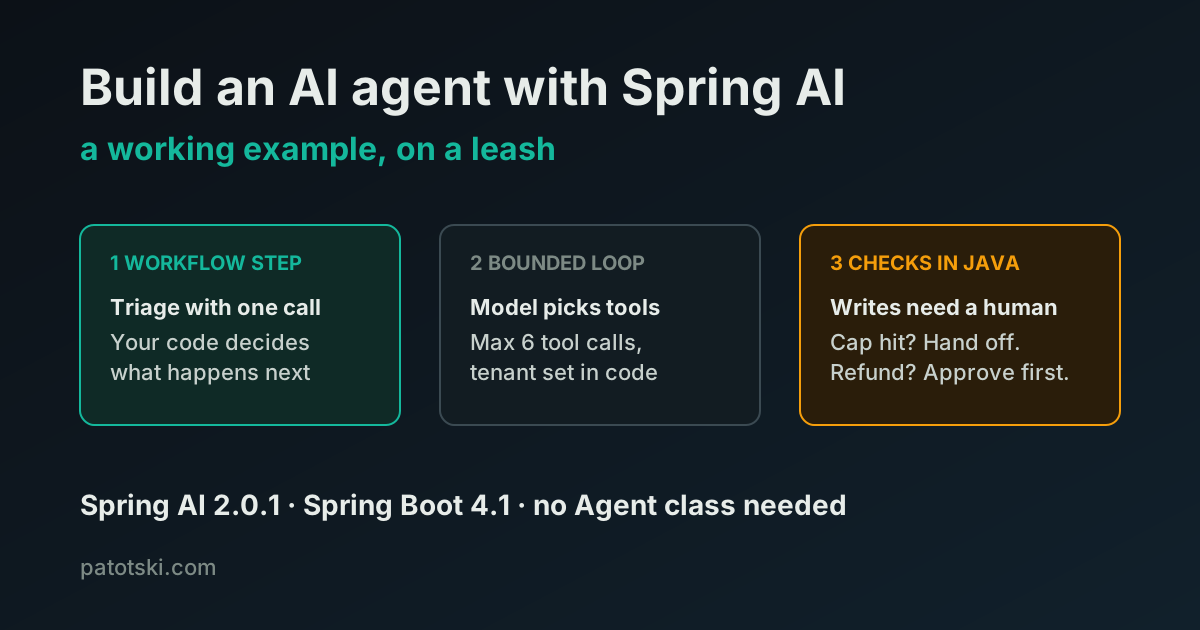
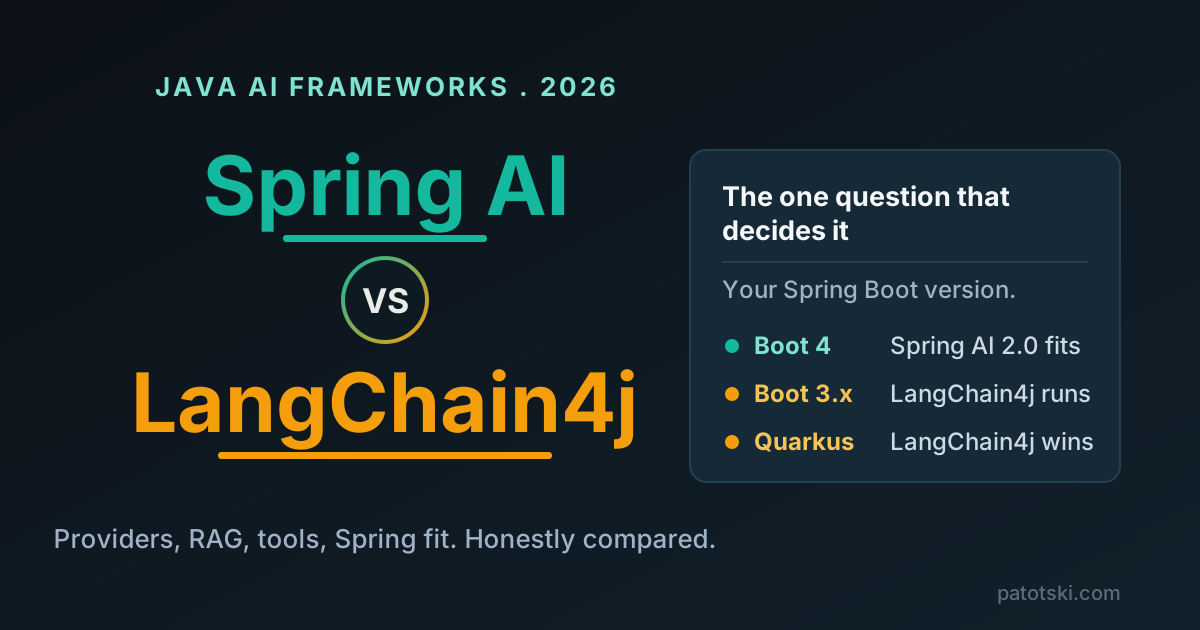
One footnote for the Java side: you can consume all of this from your own application rather
than a desktop client. Spring AI 2.0.1 (August 2026) ships spring-ai-starter-mcp-client and
turns declared servers into ToolCallback instances. Worth knowing where Java sits in the
protocol timeline: MCP moved to the 2026-07-28 revision, which drops the session handshake
for a stateless core and adds cacheable tool listings, and the Java SDK is a Tier 2
implementation still speaking 2025-11-25. The 3.x line targeting the new revision is due
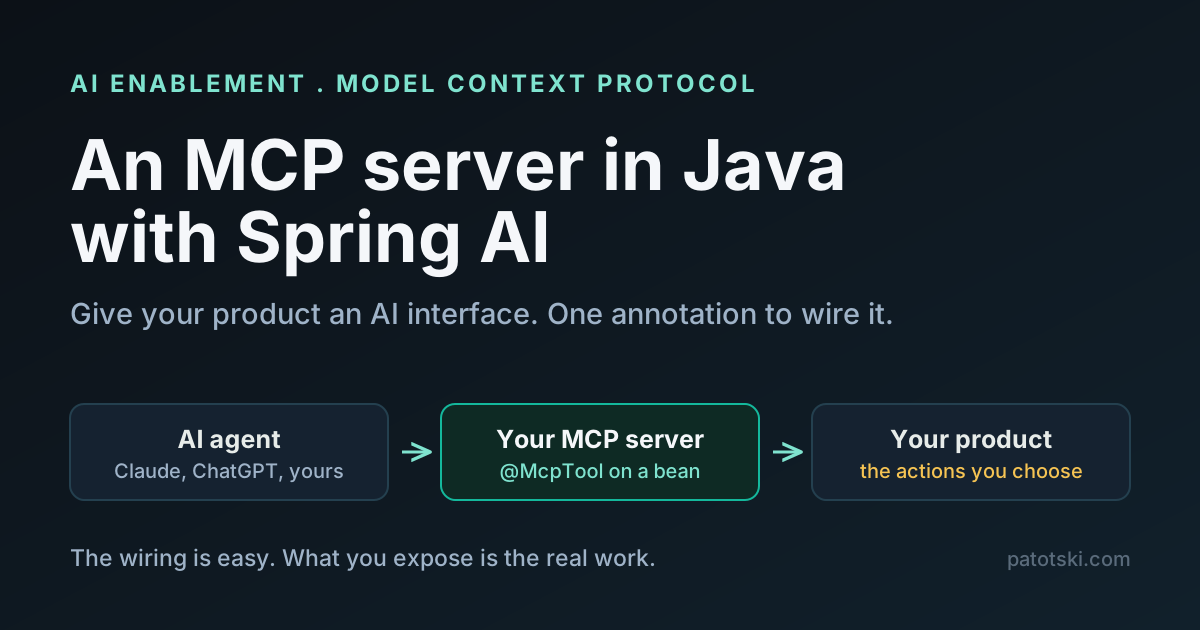
September 2026. I covered the server side in
build an MCP server with Spring AI.
Sources
- Token overhead: Anthropic’s tool search tool docs (when to use it), Anthropic on advanced tool use (the 55K and 134K figures, and the accuracy numbers), measured per-tool schema costs
- CLI vs MCP benchmark: scalekit-inc/mcp-vs-cli-benchmark
- Authentication measurement: A First Measurement Study on Authentication Security in Real-World Remote MCP Servers (7,973 live servers, May 2026)
- Servers: reference set, GitHub, Grafana, Chrome DevTools, Kubernetes, Terraform, AWS, Burp Suite, Snyk agent-scan
- Security: NSA guidance, postmark-mcp analysis and Postmark’s own notice, Trivy compromise and Aqua’s disclosure, Deadbugz campaign, split-instruction attacks, keyv npm compromise
- Protocol: MCP spec versioning, the 2026-07-28 revision, Java SDK roadmap
- Java: Spring AI 2.0.0 GA, MCP client starter reference
If you are rolling AI tooling out to a team and want it to speed people up without opening a hole, that is part of what I do under AI Enablement and Security and Compliance, or book a free 30-minute call.