 Viktar Patotski ·
· Cloud & Cost
· 10 min read
Viktar Patotski ·
· Cloud & Cost
· 10 min read
Amazon Aurora Cost: Where It Saves You and Where It Quietly Burns You
Aurora can be cheaper than RDS or twice the price, and the deciding line item is the one nobody watches: I/O. Here is how the bill is built, when I/O-Optimized and Serverless v2 actually save money, and the traps that turn a managed database into your biggest surprise.
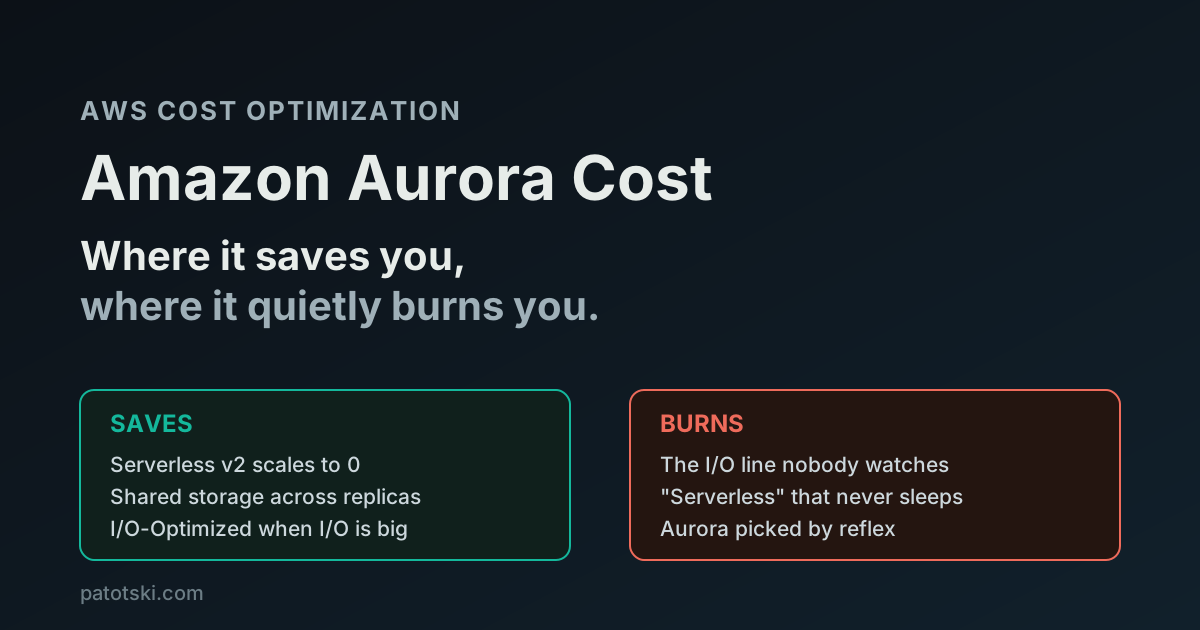
TL;DR - Amazon Aurora is not expensive or cheap on its own. It depends on one line item most teams never look at:
- Four things drive the bill: instance (or ACU) hours, storage, I/O requests, and backups. On Aurora Standard, I/O is billed separately at
$0.20per million requests, and it is the line that surprises people.- I/O-Optimized removes per-request I/O charges entirely. It costs about 30% more per instance and 2.25x more per GB of storage, so it only wins once I/O is more than roughly 25% of your Aurora bill. Above that line it can save up to 40%.
- Serverless v2 now scales to zero. Set the minimum capacity to 0 and an idle cluster auto-pauses, so you stop paying for compute on dev, staging, and spiky workloads. You still pay for storage.
- Aurora vs RDS: Aurora instances cost 20 to 30% more, but storage is shared across read replicas. At 1 to 2 instances RDS is usually cheaper. At 3+ replicas Aurora’s shared storage pulls ahead.
Check your I/O line first. That single number tells you whether to switch storage configuration, and it is where most Aurora overspend hides.
What you actually pay for
An Aurora bill is four moving parts. Most teams watch the first two and never look at the third, which is exactly the one that bites.
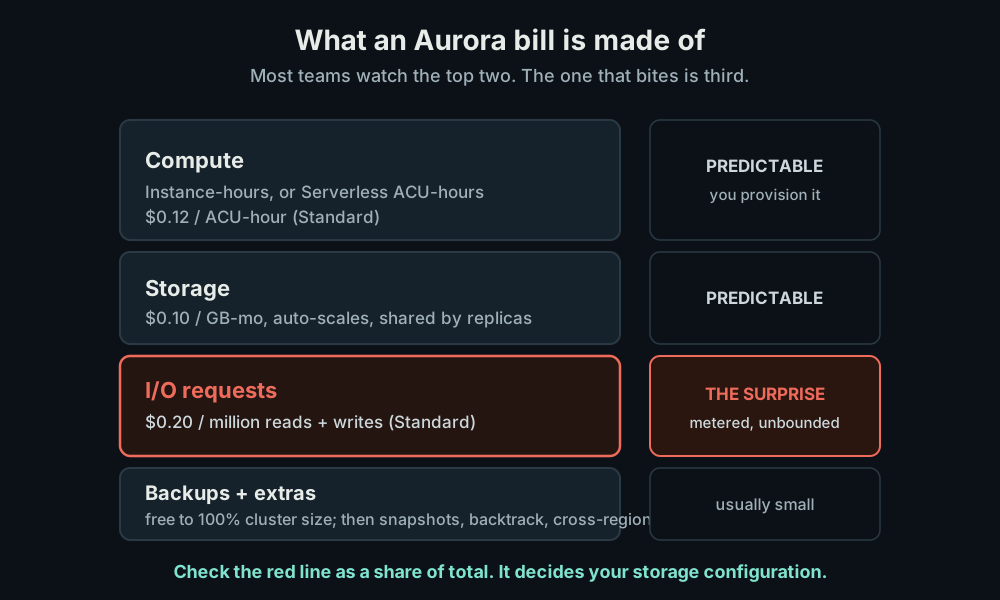
- Compute. Either a provisioned instance billed per hour (
db.r7g.largeand friends), or Aurora Serverless v2 billed per ACU-hour. One ACU is about 2 GiB of memory with matching CPU, at$0.12per ACU-hour on Standard. - Storage.
$0.10per GB-month on Standard, and it auto-scales in 10 GB steps up to 128 TB. You never provision it. Critically, the storage volume is shared by every instance in the cluster, so three read replicas cost the same storage as zero. - I/O.
$0.20per million read and write requests on Aurora Standard. This is metered, unbounded, and invisible until the invoice lands. - Backups and extras. Backup storage is free up to 100% of your cluster
size. Beyond that, plus snapshot exports (
$0.010per GB), backtrack, and cross-region replication for a Global Database, you pay extra.
Compute and storage are predictable. I/O is the one that moves, and it is the reason two teams running the “same” Aurora cluster can see bills that differ by 2 to 3x.
The I/O line is where Aurora surprises you
On Aurora Standard, every read that misses the buffer cache and every write
costs money. At $0.20 per million requests that sounds trivial, until you do
the volume math on a busy database.
A moderately busy OLTP workload doing 1,000 transactions per second, each
touching ~50 pages that miss the buffer cache and hit storage, generates around
50,000 billable I/Os per second. That is roughly 4.3 billion I/Os per day, which
at $0.20 per million is about $860 per day in I/O alone. This is an
illustrative worst case (a warm cache absorbs many reads, so your real number is
lower), but the shape is the point: the instance might cost a fraction of that.
Teams provision a sensible instance, see a reasonable compute number, and get
blindsided by an I/O line that dwarfs it.
The fix is not “tune the queries” first (though you should). The fix is to look at the I/O line as a share of your total Aurora spend. That ratio decides your storage configuration.
I/O-Optimized: the fix when I/O is large
Aurora I/O-Optimized changes the deal: you pay $0 for I/O requests, forever.
In exchange:
- Instances cost about 30% more (Serverless ACUs go from
$0.12to$0.156per ACU-hour, exactly 30%). - Storage costs
$0.225per GB-month instead of$0.10.
So I/O-Optimized is a bet: you trade a higher fixed compute and storage rate for a zero variable I/O rate. The break-even is well known and AWS states it plainly: if I/O is more than roughly 25% of your total Aurora spend, I/O-Optimized wins, and it can cut the bill up to 40% on I/O-heavy workloads. Below that line, stay on Standard. The 30% instance premium would cost you more than the I/O you are saving.
This is a two-minute decision once you have the I/O number. Pull up the cluster in Cost Explorer, find the I/O line, divide by the total. Over 25%, switch. Under, do not.
Serverless v2 and scale-to-zero: where Aurora saves
For workloads that are not busy 24/7, Aurora Serverless v2 is the lever. It bills per ACU-hour and scales capacity up and down with load in 0.5 ACU steps.
The change that made it genuinely useful for cost: as of late 2024, Serverless v2 scales to zero. Set the minimum capacity to 0 and a cluster with no open connections auto-pauses after an idle window you set (minimum 5 minutes, up to a full day). While paused you pay nothing for compute. It resumes in about 15 seconds when a connection arrives.
That turns dev and staging databases, internal tools, and spiky low-traffic services from “paying all night for nothing” into “paying only when something connects.” It is the closest Aurora gets to a true serverless cost profile.
Two caveats that quietly defeat it:
- You still pay for storage while paused. Scale-to-zero stops compute charges, not the storage line.
- Anything holding a connection open blocks the pause. An RDS Proxy, a
connection pooler, a
pg_cronjob, autovacuum, or the MySQL event scheduler will keep the cluster awake and billing. If your “idle” Serverless cluster never scales to zero, something is holding a connection.
Aurora vs RDS: which is actually cheaper
This is the question behind most “is Aurora worth it” debates, and the answer is a real decision, not a default.
| Dimension | Aurora | RDS (gp3) |
|---|---|---|
| Instance price | ~20 to 30% higher | Lower for the same class |
| Storage price | $0.10/GB-mo, auto-scales | $0.115/GB-mo, you provision it |
| I/O | Billed separately (Standard) | Included in gp3 baseline |
| Replica storage | Shared: 3 replicas = 1x storage | Each replica has its own volume |
| Scaling storage | Automatic | Manual modify when near full |
The trade-off resolves on instance count. At one or two instances with no read replicas, RDS is usually 20 to 40% cheaper, because Aurora’s instance premium is not offset by anything. The moment you run three or more read replicas, Aurora’s shared storage model stops charging you per-replica for storage, and it pulls ahead. Add Aurora’s deeper commitment discounts and the gap widens further at scale.
Rule of thumb: small and simple, RDS. Read-heavy with several replicas, Aurora.
Lock in the baseline with a commitment
Whatever you land on, the steady part of an Aurora bill should not sit at On-Demand. Aurora Reserved Instances discount up to 45% on a 1 year term and up to 66% on 3 years. As of December 2025, the new Database Savings Plans also cover Aurora and float the discount across engine, size, and region (up to 20% on provisioned, up to 35% on Serverless), the same flexibility-for-depth trade that exists on the compute side.
I covered which commitment to pick, and the rule that you cannot stack a Database Savings Plan with an RDS Reserved Instance on the same workload, in Savings Plans vs Reserved Instances.
How to choose, in order
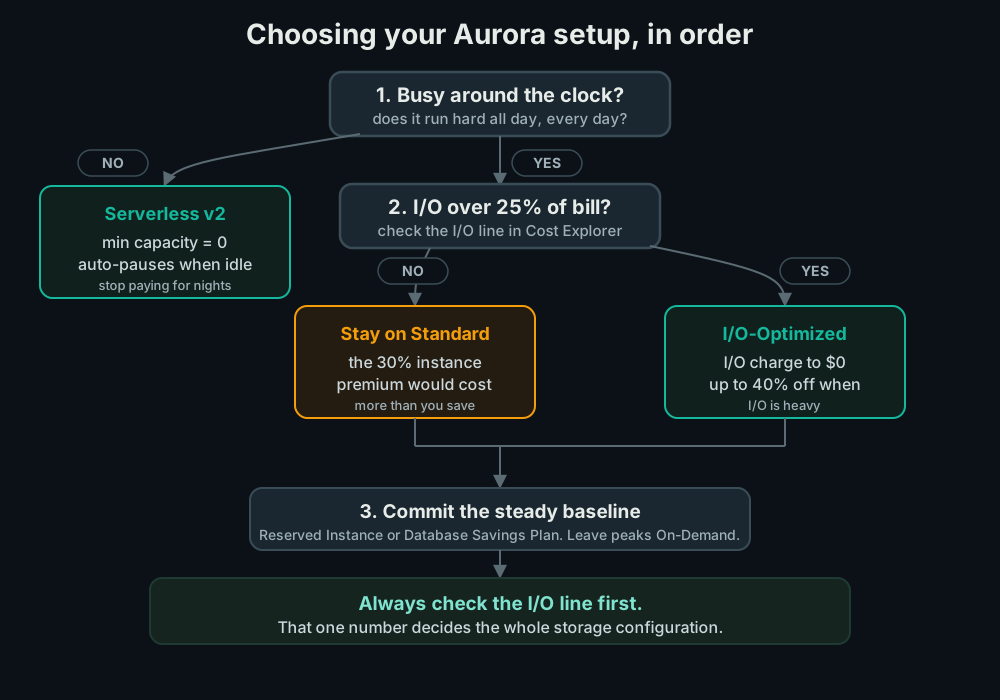
- Is it busy around the clock? If not, Serverless v2 with minimum capacity 0 so it pauses when idle. Done.
- Is I/O over 25% of the bill? If yes, switch to I/O-Optimized and the I/O line goes to zero. If no, stay on Standard.
- Cover the steady baseline with a Reserved Instance or Database Savings Plan. Leave the spiky top On-Demand.
- Then tune. Right-size the instance, kill idle replicas, and check that nothing is holding a connection open on a cluster you expect to pause.
The traps that cost real money
Ignoring the I/O line. The single most expensive Aurora mistake is never looking at it. You cannot decide Standard versus I/O-Optimized without that number, and it is the line most likely to be larger than your compute.
Running Serverless that never sleeps. A minimum capacity above 0, or a proxy or scheduled job holding a connection, means your “serverless” cluster bills 24/7 at a higher per-ACU rate than a provisioned instance would. If it never pauses, Serverless is the wrong tool.
Treating Aurora as a default. Aurora is not automatically better value than RDS. For a single small database it is usually more expensive. Pick it for the shared-storage and replica story, not by reflex.
Forgetting replicas share storage. People over-estimate the cost of adding an Aurora read replica because they assume it duplicates storage. It does not. The added cost of a replica is compute, not storage. That makes scaling reads cheaper than it looks.
Do the math (illustrative)
Say you run a read-heavy Aurora Standard cluster: a db.r7g.xlarge writer plus
two replicas, 500 GB of storage, and heavy I/O that lands at about 35% of the
bill. Numbers below are illustrative public-pricing math, not a quote: your
real figures depend on instance class, region, and exact I/O volume.
| Setup | Rough monthly cost | Note |
|---|---|---|
| Aurora Standard, On-Demand | baseline | I/O ~35% of it |
| Same, switched to I/O-Optimized | ~10 to 15% lower | I/O line goes to zero |
| I/O-Optimized + 1yr Reserved Instances | ~40 to 50% lower | baseline now committed |
The first move costs nothing but a config change: because I/O was over 25% of the bill, removing it more than pays for the higher instance and storage rate. The second move is the commitment on the part of the workload that never changes. Neither requires touching a line of application code.
Summary
Aurora’s bill is compute, storage, I/O, and backups. Compute and storage are predictable. I/O is the variable that decides everything, and it is the line most teams never check. Look at it first: over 25% of the bill, move to I/O-Optimized; under, stay Standard. For anything not busy around the clock, Serverless v2 scaling to zero stops you paying for idle compute. Against RDS, Aurora wins on read replicas and shared storage, loses on a single small instance. Then commit the steady baseline. Done in that order, Aurora is one of the cleaner database bills in AWS. Skipped, it is one of the most surprising.
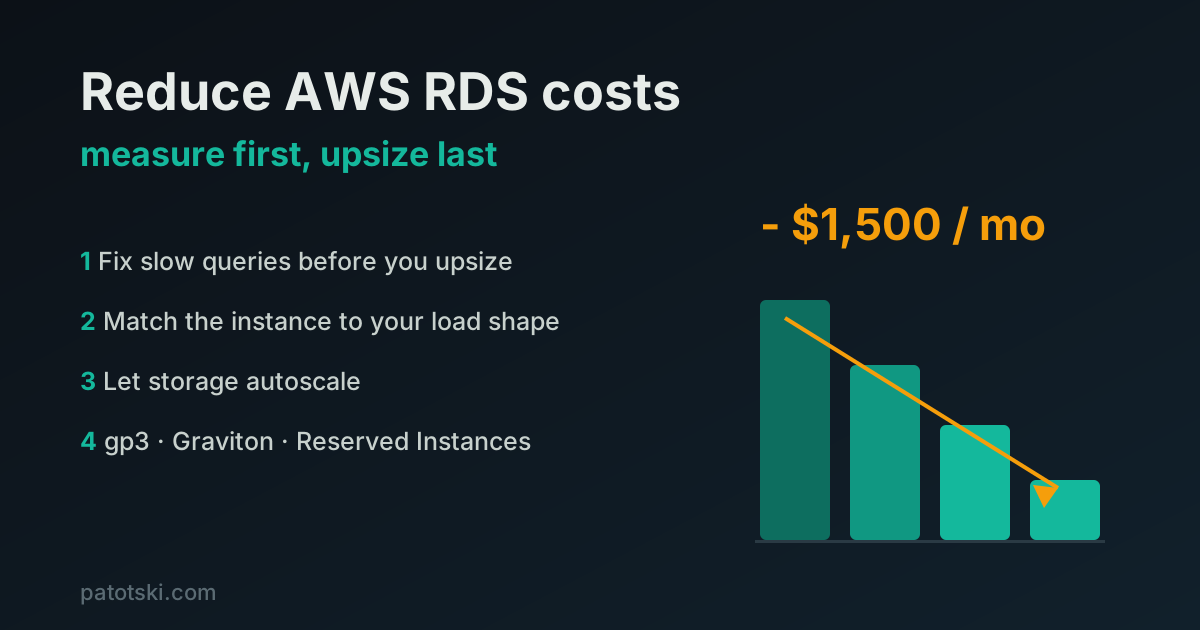
For the rest of the managed-database picture, see how to reduce AWS RDS costs without hurting performance, and for the commitment decision, Savings Plans vs Reserved Instances.
Want someone to find the I/O line and the right commitment on your account? I do this as part of AWS Cost Optimization. Book a free 30-minute call and I will show you where the Aurora bill is leaking.