 Viktar Patotski ·
· Cloud & Cost
· 11 min read
Viktar Patotski ·
· Cloud & Cost
· 11 min read
AWS NAT Gateway Pricing: $0.045/Hour + $0.045/GB, and How to Cut It
AWS NAT gateway pricing in us-east-1: $0.045 per hour (about $32 a month per gateway, per AZ) plus $0.045 per GB processed, billed on top of data transfer. A monthly cost table, how it compares to a free internet gateway, and the cheapest ways to cut it.
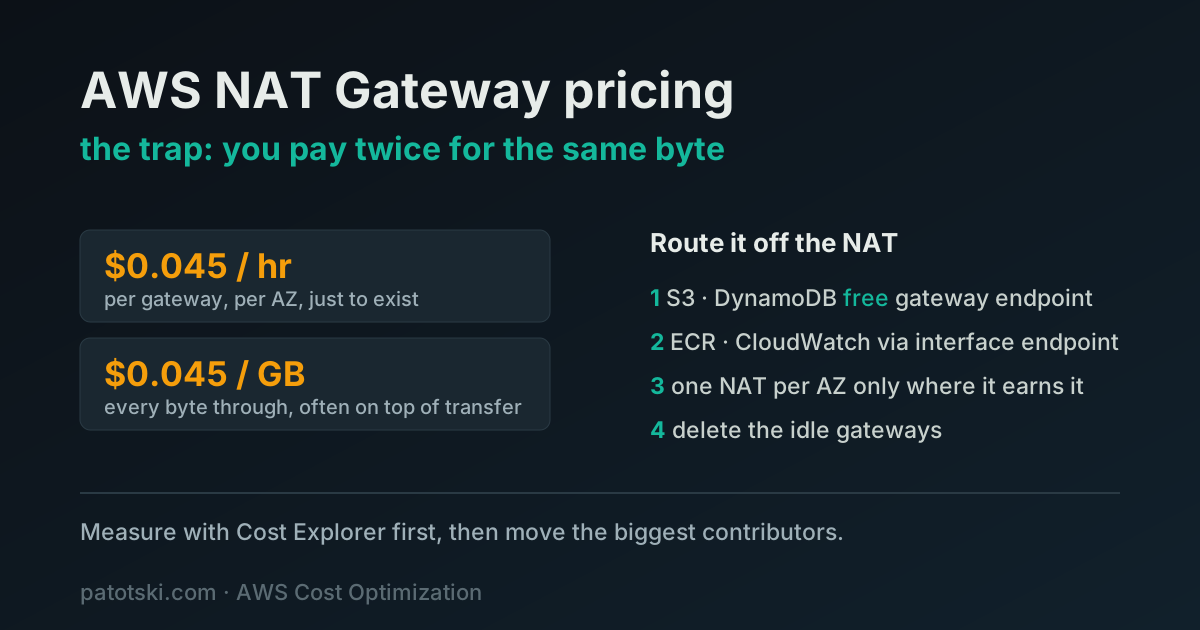
TL;DR - A NAT gateway bills you two ways: about $0.045 per hour just to exist (roughly $32 a month, per gateway, per Availability Zone) and $0.045 per GB for every byte that passes through it. That processing fee often stacks on top of normal data transfer out, so you pay twice for the same traffic. The leaks, cheapest fix first:
- Route S3 and DynamoDB through a free gateway VPC endpoint, not the NAT.
- Put high-traffic AWS services (ECR, CloudWatch, Secrets Manager) behind interface endpoints when the math beats the NAT processing fee.
- Match the number of NAT gateways to the redundancy you actually need.
- Find and delete the idle NAT gateways in forgotten VPCs and dev accounts.
No rewrite. An afternoon with Cost Explorer, VPC Flow Logs, and the VPC console.
The line item nobody questions
EC2 you choose. RDS you choose. The NAT gateway you never really chose. The VPC wizard created it, traffic started flowing, and it has been billing you ever since. It shows up on the invoice as “EC2-Other” or buried under VPC charges, and because nobody picked it on purpose, nobody questions it.
That is exactly why it leaks. A NAT gateway is one of the few AWS resources that charges you for both existing and for doing its job, and the second charge is the one that surprises people. On a busy account it is routinely a few hundred dollars a month, sometimes more than the EC2 instances behind it, for a box that does nothing but let private subnets reach the internet.
Here is how the bill is built and where to cut it.
What you actually pay for
A NAT gateway has two charges, and you pay both:
- Hourly charge. About $0.045 per hour in us-east-1. That is roughly $32.40 a month for a gateway that handles zero traffic. It is a fixed cost for the gateway existing.
- Data processing charge. About $0.045 per GB for every gigabyte that passes through, in either direction.
Two things make this worse than it first looks.
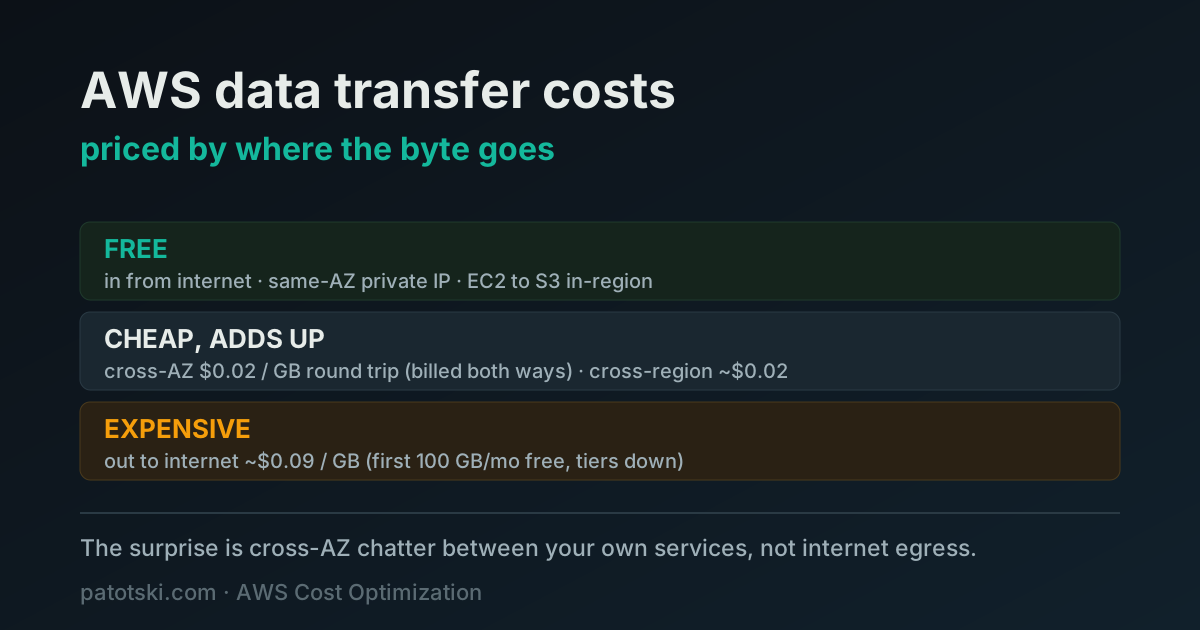
First, the processing charge is on top of normal data transfer. When an instance in a private subnet downloads from the internet, you pay the NAT processing fee to move the bytes through the gateway, and then you pay standard AWS data transfer rates on the same bytes. The same gigabyte gets billed twice, by two different meters.
Second, the recommended setup multiplies the fixed cost. AWS best practice for high availability is one NAT gateway per Availability Zone, so a private subnet in each zone keeps working if a zone fails. Across three AZs that is three gateways, roughly $97 a month in hourly charges before a single byte moves. Run that pattern in dev, staging, and prod and the idle baseline alone is real money.
What a NAT gateway costs per month
At us-east-1 rates, for a 30-day month (720 hours), counting only the two NAT meters:
| Gateways (AZs) | Idle | 1 TB processed | 5 TB processed |
|---|---|---|---|
| 1 | $32 | $77 | $257 |
| 2 | $65 | $110 | $290 |
| 3 | $97 | $142 | $322 |
Not in the table: regular data transfer out to the internet on the same bytes, and the public IPv4 address each public NAT gateway holds, which AWS bills at $0.005 per hour (about $3.60 a month).
The newer Regional NAT gateway (November 2025) does not change this math. It is one resource that spans your Availability Zones, but AWS bills it per active AZ per hour, so three active zones cost the same $0.135 per hour as three zonal gateways. The saving is setup and route-table work; the bill stays the same.
Internet gateway vs NAT gateway pricing
An internet gateway has no charge of its own. You pay standard data transfer for the traffic through it and $0.005 per hour for each public IPv4 address your instances use. A NAT gateway exists so instances in private subnets can reach the internet without a public address, and that convenience is what the hourly and per-GB fees pay for. So the lever on cost is how much of your traffic has to go through the NAT at all.
First: is the byte even leaving your VPC?
Before the fixes, the one mental model that explains the whole bill. A NAT gateway only charges for traffic that leaves your VPC from a private subnet on its way to the internet. Traffic that stays inside the VPC never touches it.
The trap is the word “external.” It does not mean “the public internet.” It means “outside your VPC,” and that includes most of AWS itself.
- App talking to RDS in the same VPC: no NAT, no charge. RDS runs on network interfaces inside your subnets, so that traffic is local VPC routing. (If the app and the database sit in different Availability Zones you pay cross-AZ data transfer, but that is a separate meter, not the NAT.)
- App talking to S3, DynamoDB, CloudWatch, ECR, Secrets Manager, SSM: through the NAT by default. These are not in your VPC. They live on AWS public endpoints, so reaching them from a private subnet goes out through the gateway and pays $0.045 per GB, even though it never leaves AWS.
- App calling an external API or pulling a package: through the NAT. Real internet egress, the case everyone expects.
The expensive surprise is the middle one. Teams assume “it is all AWS, it must be internal and free.” It is not. It leaves the VPC, hits the NAT, and gets metered. So the question for every chatty dependency is simple: is this byte leaving my VPC? If the answer is no, it should never see the NAT.
Where the money leaks
1. Paying NAT fees for traffic to AWS itself
This is the big one. Most of what your instances talk to is not the open internet. It is other AWS services: S3 for assets and backups, DynamoDB, CloudWatch for logs and metrics, ECR for container images, Secrets Manager, SSM. By default that traffic takes the same route as everything else, out through the NAT gateway, and you pay $0.045 per GB for the privilege.
A service pulling container images on every deploy, shipping logs to CloudWatch, and reading objects from S3 all day can push a surprising volume through the NAT, and every byte of it is the processing fee. None of it needs to go through the NAT at all.
2. The per-AZ multiplier you may not need
One NAT gateway per AZ is the safe default, and on production it is the right default. The waste is applying it everywhere by reflex. Dev and staging rarely need to survive a zone failure. A single NAT gateway shared across the non-production VPCs cuts that hourly baseline by two thirds, and the only thing you give up is zone redundancy you were never going to rely on for a staging box.
3. Cross-AZ data transfer stacking on top
If an instance in one Availability Zone sends traffic through a NAT gateway in a different zone, you also pay cross-AZ data transfer, on top of the NAT processing fee, on top of the regular transfer. Three meters on one request. This happens quietly when subnets and route tables drift out of alignment, so that a zone’s private subnet ends up pointed at another zone’s gateway.
4. Idle gateways in forgotten corners
The replica of the production setup someone spun up to test a migration. The dev account that mirrors prod’s three-AZ topology nobody needs. The VPC behind a service you decommissioned but never tore down. Each idle NAT gateway is about $32 a month doing nothing. They are easy to lose track of precisely because nobody chose them.
The fixes, cheapest first
Gateway endpoints for S3 and DynamoDB (free, do this today)
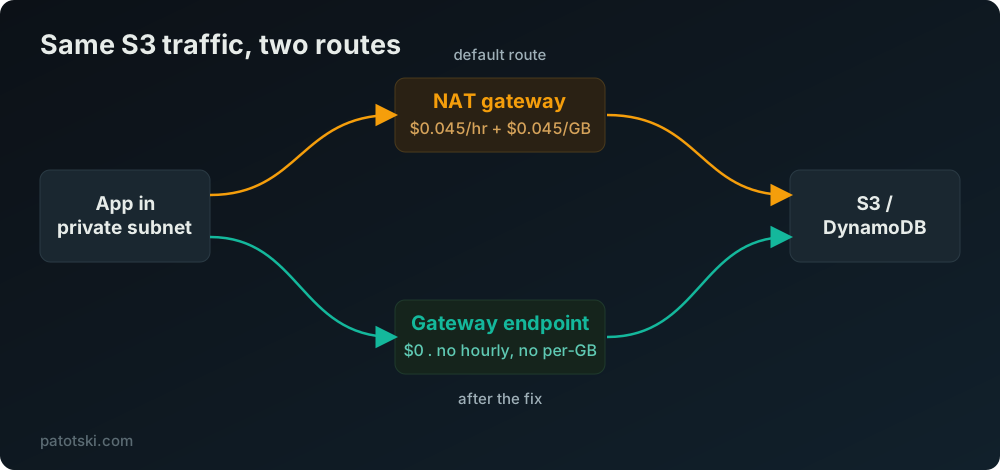
A gateway VPC endpoint routes traffic to S3 and DynamoDB privately, inside the AWS network, and it has no hourly charge and no data processing charge. It is free. You add it to your route tables and the S3 and DynamoDB traffic stops flowing through the NAT, which means it stops paying the $0.045 per GB processing fee.
If your workloads touch S3 at all (backups, asset uploads, data pipelines), this is the single highest-return change in the whole post and it costs nothing. Add the gateway endpoint, confirm your route tables point at it, watch the NAT processing volume drop.
Interface endpoints for chatty AWS services (when the math works)
S3 and DynamoDB get free gateway endpoints. Everything else (ECR, CloudWatch, Secrets Manager, SSM, SQS, and so on) uses interface endpoints, which are not free: about $0.01 per hour per endpoint per AZ, plus about $0.01 per GB processed. That is cheaper than the NAT’s $0.045 per GB, but the hourly cost is per endpoint per zone, so it adds up if you create one for every service in every AZ.
The rule: an interface endpoint pays off when the volume through it is high enough that the per-GB saving beats the per-hour cost. A service pulling large container images from ECR on every deploy, or shipping heavy log volume to CloudWatch, is a clear win. A service that touches Secrets Manager twice an hour is not. To know which services carry real volume, see “find the contributors” below: Cost Explorer cannot tell you, but VPC Flow Logs can.
Find the contributors (Cost Explorer sizes it, Flow Logs name it)
Two tools, two jobs, and people conflate them.
Cost Explorer tells you how big the NAT bill is. Group by usage type and
you see NatGateway-Hours (the fixed $0.045 per hour) and the processed-bytes
line (the $0.045 per GB). That answers one question: is this worth chasing? It
does not tell you where the bytes went. Cost Explorer has no idea whether a
gigabyte through the NAT was headed to S3, to ECR, or to an external API. There
is no destination breakdown in the cost data.
VPC Flow Logs tell you what the traffic was. Turn on Flow Logs for the VPC or subnet, then query them with Athena or CloudWatch Logs Insights, grouping by destination. Map the destination IP ranges back to AWS services (S3, DynamoDB, ECR, and so on) and now you can see the split: this much went to S3, this much to ECR, this much to the open internet. That is the breakdown that tells you which endpoint to add. Cost Explorer says “your NAT bill is $400 a month.” Flow Logs say “and 70% of it is S3 traffic that belongs on a free gateway endpoint.”
Right-size the NAT topology
Keep one NAT gateway per AZ on production, where zone redundancy earns its cost. Collapse non-production to a single shared NAT gateway. Check your route tables while you are in there: every private subnet should route to the NAT gateway in its own zone, not another zone’s, or you are paying cross-AZ transfer on every request.
Find the idle ones
Cost Explorer grouped by usage type shows your NAT gateway hours, so you can count how many you are paying for. The VPC console lists every one. Cross-reference against what is actually running and delete what is not earning its keep.
Do the math on your own account
The pricing is public, so you can size the win before you touch anything. Take a workload pushing 5 TB a month through a NAT gateway, a normal volume for a service doing real S3 and container work:
- NAT processing on 5 TB: about 5,000 GB times $0.045, roughly $225 a month, on top of the hourly charge and regular data transfer.
- Move the S3 share of that to a free gateway endpoint and it leaves the NAT meter entirely.
- Move the ECR and CloudWatch share to interface endpoints at about $0.01 per GB and you cut that portion’s processing rate by more than three quarters.
The exact split depends on your traffic mix, which is the point: size the NAT bill in Cost Explorer first, then use VPC Flow Logs to find which traffic is generating it, and route the biggest contributors off the NAT. Most of the work is reading the bill and the logs, not changing infrastructure.
Summary
A NAT gateway is expensive because it charges for existing and charges again for every byte, and most of those bytes are going to AWS services that never needed the NAT in the first place. Route S3 and DynamoDB through free gateway endpoints, put interface endpoints in front of the high-volume AWS services, keep one NAT per zone only where redundancy matters, and delete the idle ones. Size the bill with Cost Explorer, find the contributors with VPC Flow Logs, then move the biggest ones. It is an afternoon of work against a charge that recurs every month.
This is one of several quiet AWS costs that compound. For the database side of the bill, see how to reduce AWS RDS costs without hurting performance.
Want someone to find these in your account? I do this kind of work as part of AWS Cost Optimization. Book a free 30-minute call and I will show you where the waste is.